
Quick Start
This guide walks you through every step needed to scrape your first Amazon product: locating your API key, registering a postcode, creating a collection, adding an ASIN, running the job, and downloading the results.
Step 1 — Get your API key
Your API key is on the Profile page of the dashboard, under About you. Click the eye icon to reveal it, then copy it.
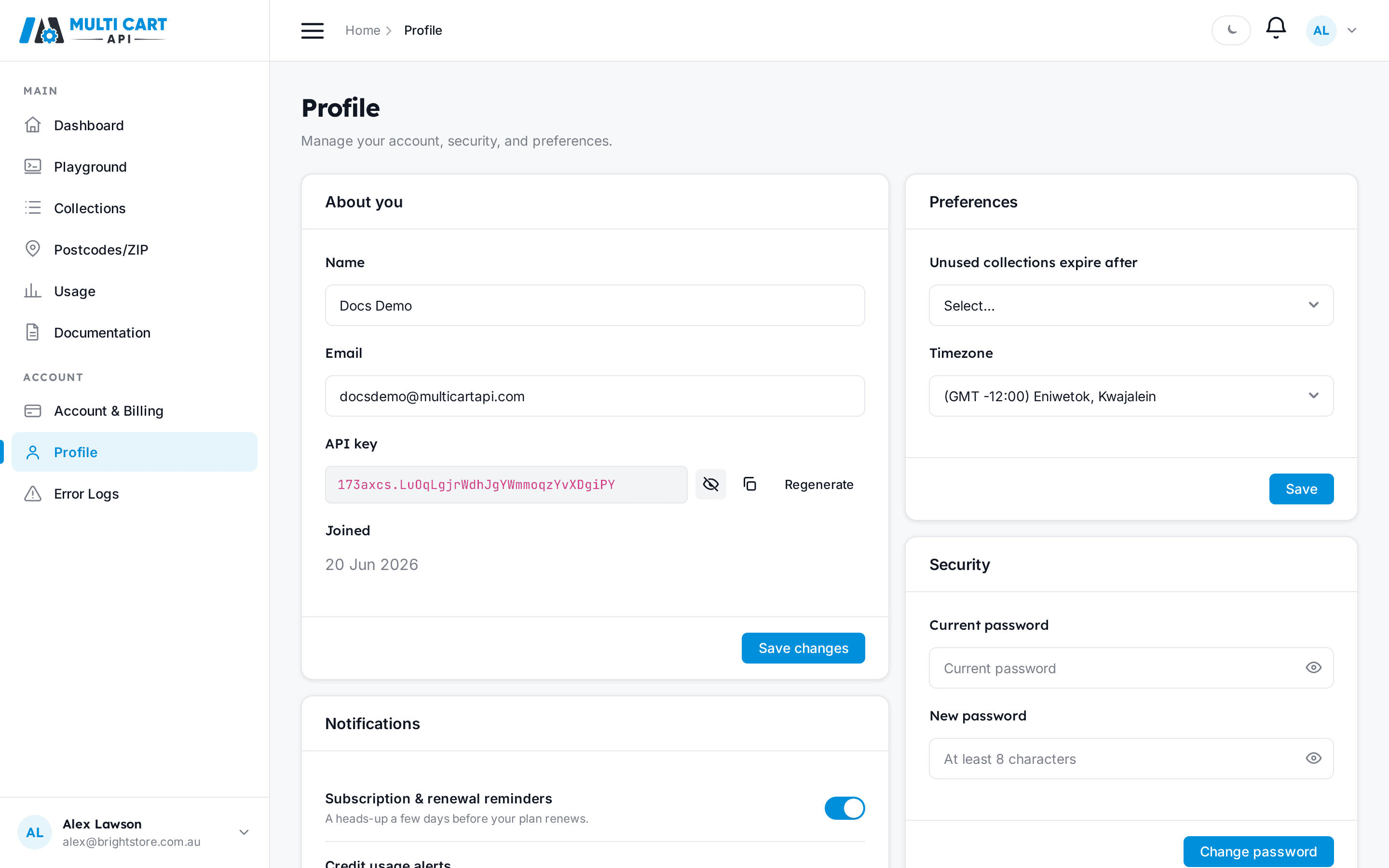
You will send this key in the x-api-key header on every authenticated request.
Step 2 — Add a postcode
MultiCartAPI uses postcodes to place you in the correct delivery zone when it scrapes Amazon. Create one for the domain you want to target and wait for its status to become active before continuing.
Create the postcode
curl https://multicartapi.com/api/v1/zipcodes/create-zipcode/ \
-X POST \
-H "x-api-key: YOUR_API_KEY" \
-H "Content-Type: application/json" \
-d '{"domain": 1, "zipcode": "4500"}'
The response data.status will be in-progress while cookies are generated in the background. Poll until it reads active:
curl https://multicartapi.com/api/v1/zipcodes/get-zipcodes/ \
-X POST \
-H "x-api-key: YOUR_API_KEY" \
-H "Content-Type: application/json" \
-d '{"domain": 1}'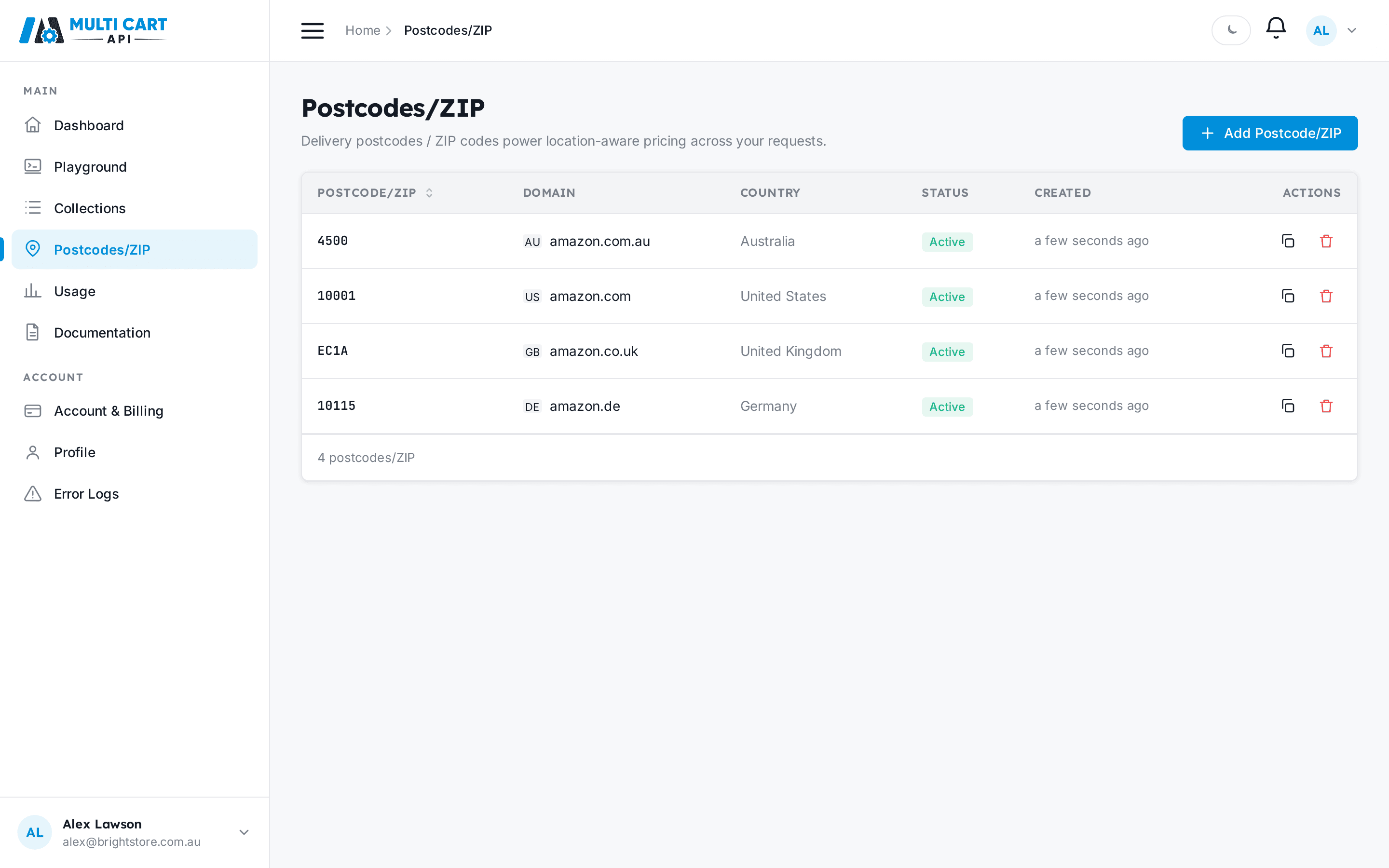
Postcode ID vs postcode number
The id returned in the response (e.g. 15) is the row ID you will use when adding ASINs. The zipcode field (e.g. "4500") is the human-readable postcode.
Step 3 — List domains to get a domain ID
The /settings/domains/ endpoint requires no authentication and returns all available marketplaces. Use the id from this response when creating postcodes and ASINs.
curl https://multicartapi.com/api/v1/settings/domains/ \
-X POST
Note the id for the domain you want to scrape — you will need it in the next two steps.
Step 4 — Create a collection
A collection is the container for your scrape job. Give it a name, choose a schedule and priority, and set a notification email.
curl https://multicartapi.com/api/v1/schedules/add_schedule/ \
-X POST \
-H "x-api-key: YOUR_API_KEY" \
-H "Content-Type: application/json" \
-d '{
  "name": "My First Collection",
  "request_type": "amazon",
  "schedule": "Manual",
  "priority": "Normal",
  "notification_email": "[email protected]",
  "fetch_mode": "full"
}'
The collection starts in draft status. It will be promoted to enable automatically when you add the first ASIN in the next step.
Step 5 — Add an ASIN
Add the Amazon product you want to scrape. You need the collection ID from step 4, the domain ID from step 3, and the customer_postcode row ID from step 2.
curl https://multicartapi.com/api/v1/schedules/amazon/asin/create/ \
-X POST \
-H "x-api-key: YOUR_API_KEY" \
-H "Content-Type: application/json" \
-d '{
  "collection": 101,
  "domain": 1,
  "customer_postcode": 15,
  "asin": "B0DJQQ38TG",
  "include_raw_html": false,
  "output": "JSON"
}'
Adding multiple ASINs
To add a batch at once, use POST /schedules/amazon/asin/create/multiple/ with a comma-separated asins string, or upload a CSV via POST /schedules/amazon/asin/create/bulk/. See the API reference for details.
Step 6 — Run the collection and download results
Trigger the run
Send collection_id to the run endpoint. The job is dispatched to the scraping queue and the endpoint returns immediately — results arrive asynchronously.
curl https://multicartapi.com/api/v1/schedules/run/result/ \
-X POST \
-H "x-api-key: YOUR_API_KEY" \
-H "Content-Type: application/json" \
-d '{"collection_id": 101}'
Poll for download links
Poll the downloads endpoint until is_download_generated is true, then follow the links to retrieve your result files.
curl https://multicartapi.com/api/v1/schedules/collections/results/download/ \
-X POST \
-H "x-api-key: YOUR_API_KEY" \
-H "Content-Type: application/json" \
-d '{"collection_id": 101, "skip": 0, "limit": 5}'
When is_download_generated is true, download_links.pages contains per-batch JSON URLs and download_links.all_pages is a ZIP of all pages combined. Use GET /api/v1/results/{collection_id}/{runner_id}/{file_name} with your x-api-key header to download the files directly.
Credit gate — check your balance before running
The run endpoint checks that your remaining credits (available minus used minus frozen) are greater than or equal to the number of ASINs in the collection. If you do not have enough credits the run will be rejected with a 402 error code in the response body. Check your balance at POST /users/credits/ and top up your plan if needed before triggering a large collection.