
Monitor API Usage
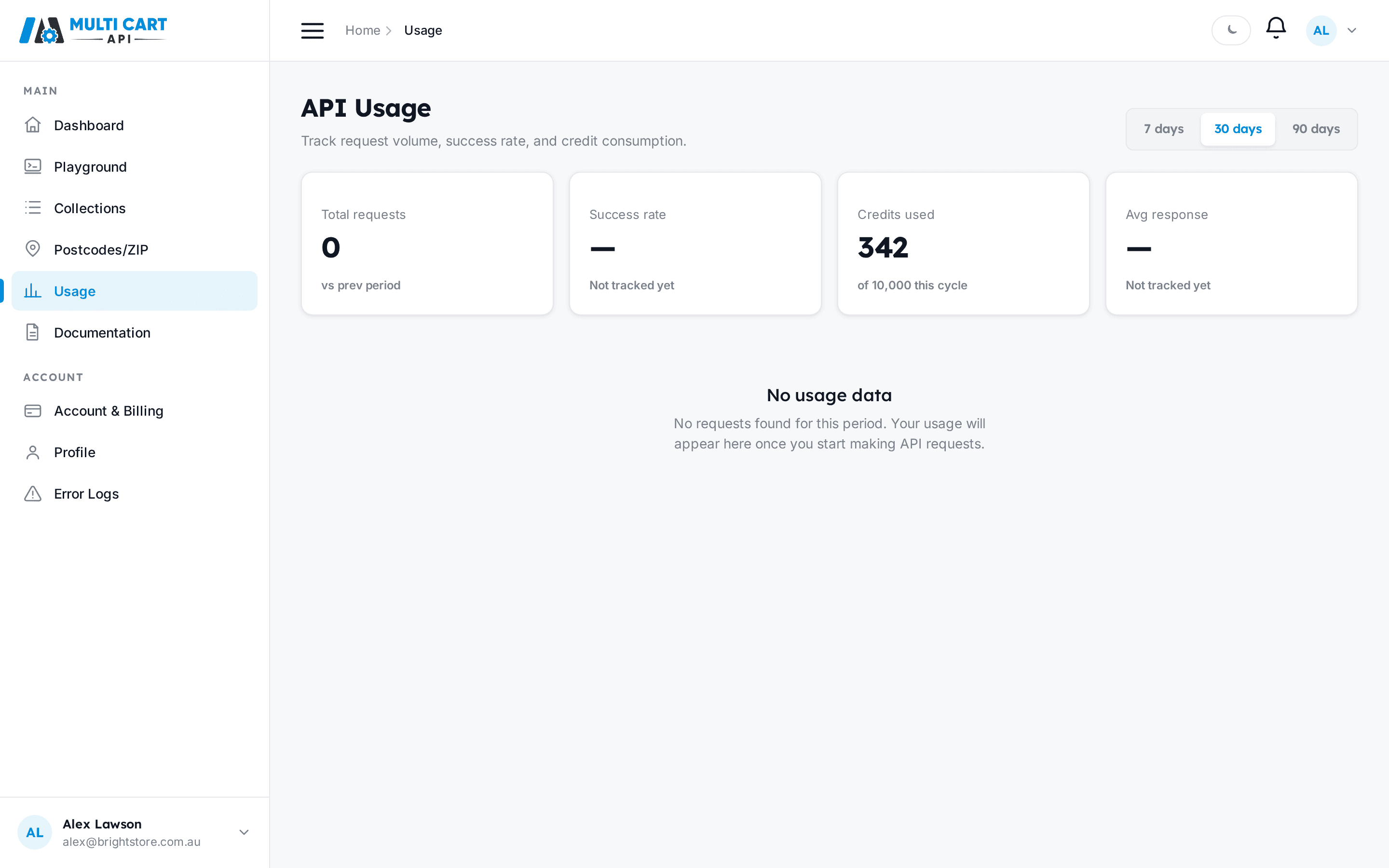
The Usage page gives you a live view of how many requests you have made and how many credits you have consumed, with a date range selector and a per-day chart. You can also query your balance programmatically at any time.
In the dashboard
- Click Usage in the left sidebar.
- The page loads in 30-day view by default. The header reads "API Usage" with the subtitle "Track request volume, success rate, and credit consumption."
- Use the date range control in the top-right to switch between 7 days, 30 days, and 90 days. Every section on the page reloads when you change the range.

Stat cards
The four cards across the top summarise your activity for the selected period:
- Total requests — the number of scrape requests dispatched. A trend arrow (green up, red down) shows the percentage change vs. the previous equivalent period.
- Success rate — not yet tracked; displays "—".
- Credits used — credits consumed in the current billing cycle, shown as "X of N this cycle".
- Avg response — not yet tracked; displays "—".
Requests over time chart
Below the stat cards, a line-area chart plots daily request counts for the selected window.
- The Y-axis shows volume (displayed in thousands when the count exceeds 1,000).
- The X-axis shows up to four date markers spanning the period.
- A highlighted dot marks the most recent data point.


Empty state
If no requests were made in the selected period the chart area is replaced with:
No usage data — No requests found for this period.
Check your balance via the API
Use POST /users/credits/ to fetch your current credit balance at any time — useful for dashboards, alerting, or pre-flight checks before running a large collection.
Get Credits
https://multicartapi.com/api/v1/users/credits/No request body needed
Send an empty JSON object {} or omit the body entirely. The endpoint identifies you from the x-api-key header.
curl https://multicartapi.com/api/v1/users/credits/ \
  -X POST \
  -H "x-api-key: YOUR_API_KEY" \
  -H "Content-Type: application/json" \
-d '{}'{
"code": 200,
"data": {
"id": 5,
"user": 42,
"available_credits": 10000,
"used_credits": 342,
"frozen_credits": 0,
"period_end": "2026-07-20T00:00:00Z",
"created_at": "2025-01-15T09:00:00Z",
"updated_at": "2026-06-20T00:00:00Z"
},
"status": 1
}Reading the response
| Field | Meaning |
|---|---|
available_credits | Total credits granted for the current cycle |
used_credits | Credits consumed by completed scrapes |
frozen_credits | Credits reserved for in-flight scrape jobs |
period_end | When the cycle resets. null means a lifetime Starter grant that never auto-resets |
Remaining usable credits = available_credits - used_credits - frozen_credits.