
Run a Request in the Playground
The Playground lets you fire a single live scrape straight from the dashboard — no collection, no scheduler, just a result in seconds. It is the fastest way to check that a domain, postcode, and ASIN or SKU all resolve correctly before you build a full pipeline.
In the dashboard
Welcome screen
Open Playground from the sidebar. The welcome screen lets you choose between Amazon, Officeworks, and Repco, and shows the code-sample panel on the right with your live API key already filled in.
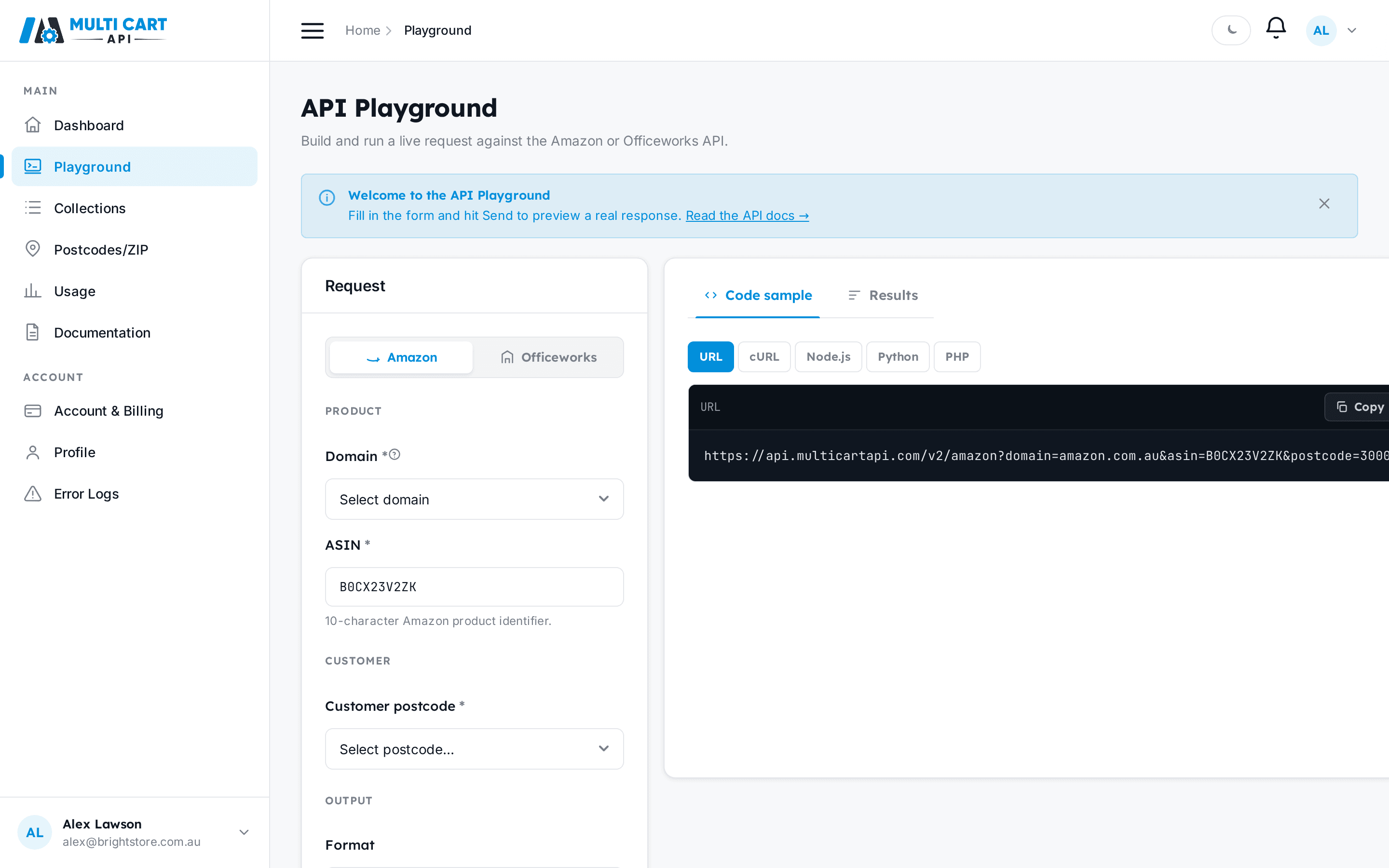
Amazon form
Select the Amazon tab and fill in:
- Domain — pick the marketplace you want to scrape (e.g.
amazon.com.au). - ASIN — the 10-character Amazon product identifier, e.g.
B0DJQQ38TG. - Postcode — choose one of your active postcodes for that domain. If none appear, add a postcode first.
- Format —
JSONreturns structured product data;HTMLreturns the raw page HTML. - Include raw HTML — toggle on if you want the raw HTML bundled alongside the parsed JSON output.

Code-sample panel
The panel on the right of the form shows a ready-to-run request in curl, Python, and Node with your actual API key substituted in. You can copy any snippet and run it from your own environment.

Send and view results
Click Send. The Results pane appears below (or to the right, depending on your screen width) and shows the parsed JSON output as soon as the scrape completes.

Officeworks form
Switch to the Officeworks tab. The form changes to:
- SKU — the Officeworks product code, e.g.
JBMS310BK. - Store — the Officeworks store ID, e.g.
W411. Use List Officeworks Stores to find valid IDs. - Postcode — a 4-digit Australian postcode, e.g.
4500.

Click Send — the result appears in the same Results pane.
Repco form
Switch to the Repco tab. The form changes to just two fields — there is no store:
- Product Code — the Repco product code, e.g.
A5685428. - Postcode — a 4-digit Australian postcode, e.g.
4500. The postcode alone resolves the nearest store, freight, and availability.
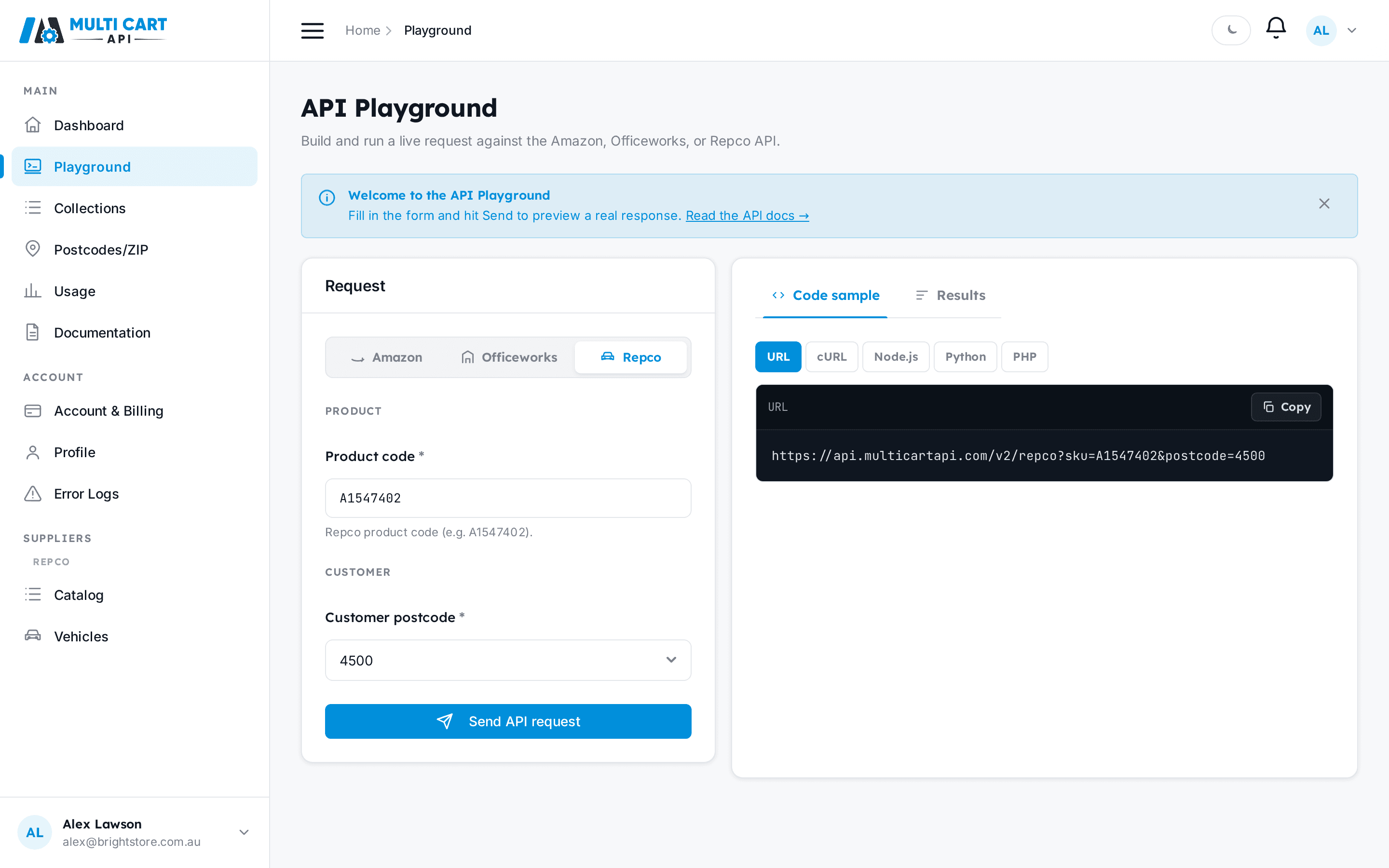
Click Send — the result appears in the same Results pane, including retail and member (Auto Club) pricing.
Each Playground request costs 1 credit
Clicking Send triggers a real scrape and deducts 1 credit from your balance. If your balance is too low, the request will still return HTTP 200 and status: 1, but data.output.error will contain "Insufficient Credits". See Understanding API Errors for how to handle that case.
Via the API
Amazon: test-scrape an ASIN
Test-scrape an Amazon ASIN
https://multicartapi.com/api/v1/playground/post/| Parameter | Type | Required | Description |
|---|---|---|---|
domain | string | Required | Domain ID as a string, e.g. "1". Get the numeric ID from POST /settings/domains/ and encode it as a string. |
customer_postcode | string | Required | Zipcode row ID as a string, e.g. "14". Get the row ID from POST /zipcodes/get-zipcodes/ and encode it as a string. |
asin | string | Required | Amazon ASIN to scrape, e.g. "B0DJQQ38TG". |
output | string | Required | Output format: "JSON" or "HTML". |
include_raw_html | string | Optional | Whether to include raw HTML in the output. Must be the string "true" or "false" — not a boolean. |
curl https://multicartapi.com/api/v1/playground/post/ \
  -X POST \
  -H "x-api-key: YOUR_API_KEY" \
  -H "Content-Type: application/json" \
  -d '{
    "domain": "1",
    "customer_postcode": "14",
    "asin": "B0DJQQ38TG",
    "output": "JSON",
    "include_raw_html": "false"
}'{
"code": 200,
"data": {
"type": "json",
"output": {
"asin": "B0DJQQ38TG",
"title": "Example Product Title",
"price": "$49.99",
"availability": "In Stock"
}
},
"status": 1
}Two things to watch out for with this endpoint:
domainandcustomer_postcodeare string-encoded integer IDs, not domain names or postcode numbers. Pass"1", not"amazon.com.au".include_raw_htmlis a string ("true"or"false"), not a JSON boolean. The backend does not coerce the type.- On insufficient credits the envelope still returns
status: 1. Checkdata.output.error— if it contains"Insufficient Credits", top up before retrying.
Officeworks: test-scrape a SKU
Test-scrape an Officeworks SKU
https://multicartapi.com/api/v1/playground/officeworks/post/| Parameter | Type | Required | Description |
|---|---|---|---|
sku | string | Required | Officeworks SKU code, e.g. "JBMS310BK". The field is sku — not asin. |
store_id | string | Required | Officeworks store ID, e.g. "W411". Get valid IDs from POST /settings/officeworks/stores/. |
customer_postcode | string | Required | Postcode number as a string, e.g. "4500". |
curl https://multicartapi.com/api/v1/playground/officeworks/post/ \
  -X POST \
  -H "x-api-key: YOUR_API_KEY" \
  -H "Content-Type: application/json" \
  -d '{
    "sku": "JBMS310BK",
    "store_id": "W411",
    "customer_postcode": "4500"
}'{
"code": 200,
"data": {
"type": "json",
"output": {
"sku": "JBMS310BK",
"title": "JBL Flip 6 Portable Bluetooth Speaker",
"price": "$149.00",
"availability": "In Stock"
}
},
"status": 1
}The field name is sku, not asin. Do not pass a domain field — the backend does not require it for Officeworks playground requests.
Repco: test-scrape a product code
Test-scrape a Repco product
https://multicartapi.com/api/v1/playground/repco/post/| Parameter | Type | Required | Description |
|---|---|---|---|
sku | string | Required | Repco product code, e.g. "A5685428". The field is sku. |
customer_postcode | string | Required | Postcode value (e.g. "4500") or a Zipcode row ID. No store_id — Repco is postcode-driven. |
curl https://multicartapi.com/api/v1/playground/repco/post/ \
-X POST \
-H "x-api-key: YOUR_API_KEY" \
-H "Content-Type: application/json" \
-d '{
  "sku": "A5685428",
  "customer_postcode": "4500"
}'{
"code": 200,
"data": {
"type": "json",
"output": {
"status": "success",
"request_info": { "sku": "A5685428", "postcode": "4500", "domain": "repco.com.au", "credits used": 1 },
"response_info": { "json": { "product": { "product_code": "A5685428", "title": "...", "buybox_data": { "price_details": { "price_value": 207.0, "auto_club_price_text": "$165.60" } } } } }
}
},
"status": 1
}The field name is sku and there is no store — just sku + customer_postcode. The result carries both retail (price_value) and member (auto_club_price_text) pricing.
Next steps