
Add a Single Amazon ASIN
An ASIN (Amazon Standard Identification Number) is the 10-character product identifier used across all Amazon marketplaces. Adding one to a collection tells MultiCartAPI to scrape that product's pricing, availability, and details on every scheduled or manual run.
Before you start
You need:
- An existing collection — create one first if you haven't already.
- An active postcode for the domain you want to scrape — add one here. The postcode dropdown in the drawer only shows postcodes that match the selected domain.
In the dashboard
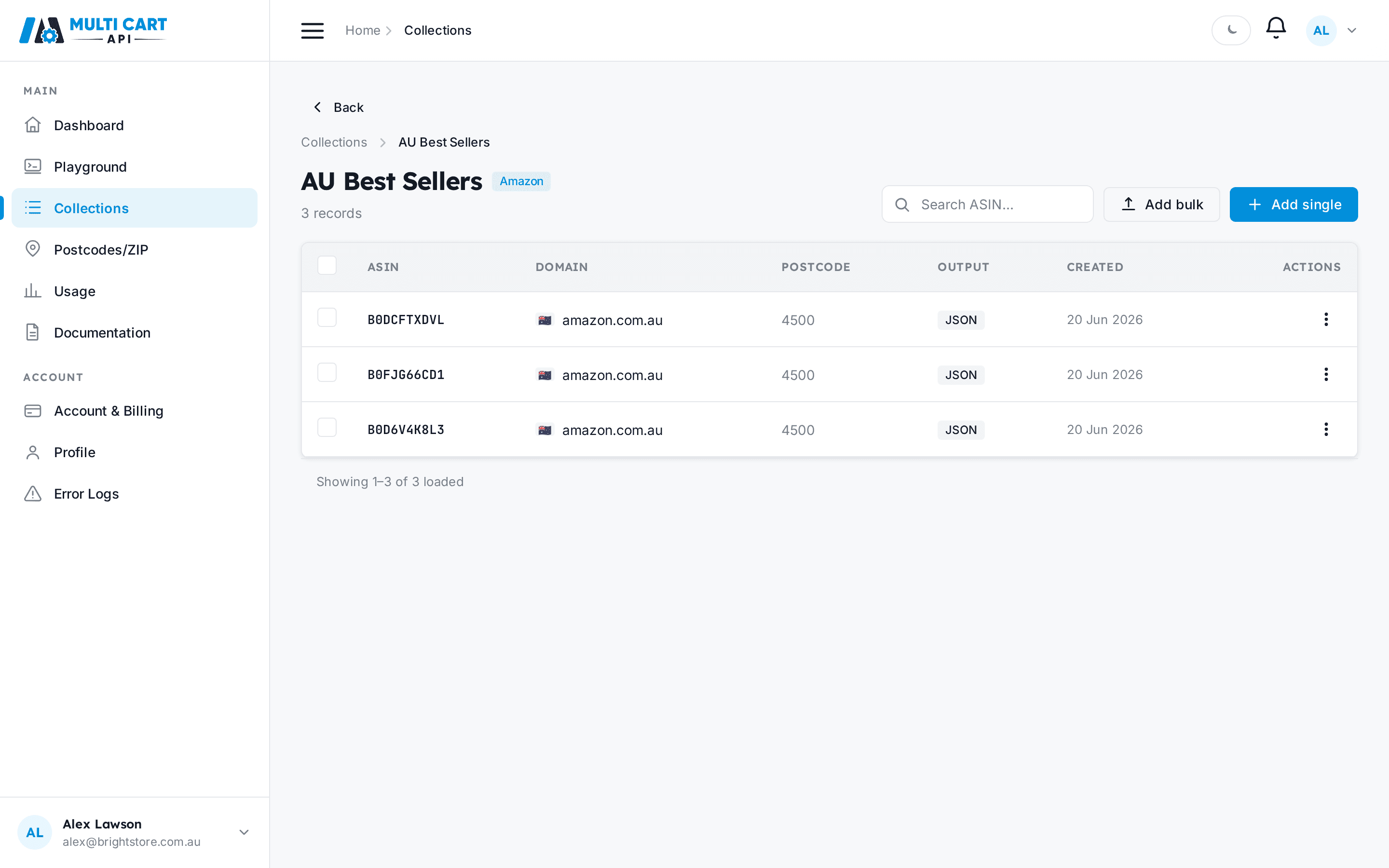
- Open Collections from the sidebar, then click the collection you want to add the ASIN to.
- You land on the collection's records page. The header shows the collection name and current record count.
-
Click Add single (top-right of the page header). A drawer slides in from the right titled Add single record.
-
Fill in the fields:
- Amazon Domain — choose the marketplace (e.g.
amazon.com.au). Changing the domain clears the postcode selection. - ASIN — the 10-character product identifier, e.g.
B0DJQQ38TG. - Customer Postcode/Zipcode — only postcodes that match the selected domain are shown. If the dropdown is empty, add a postcode for that domain first.
- Output — currently
JSONis the only available format. - Include Raw HTML — set to
Trueto receive the raw page HTML alongside the parsed data. Defaults toFalse.
- Amazon Domain — choose the marketplace (e.g.
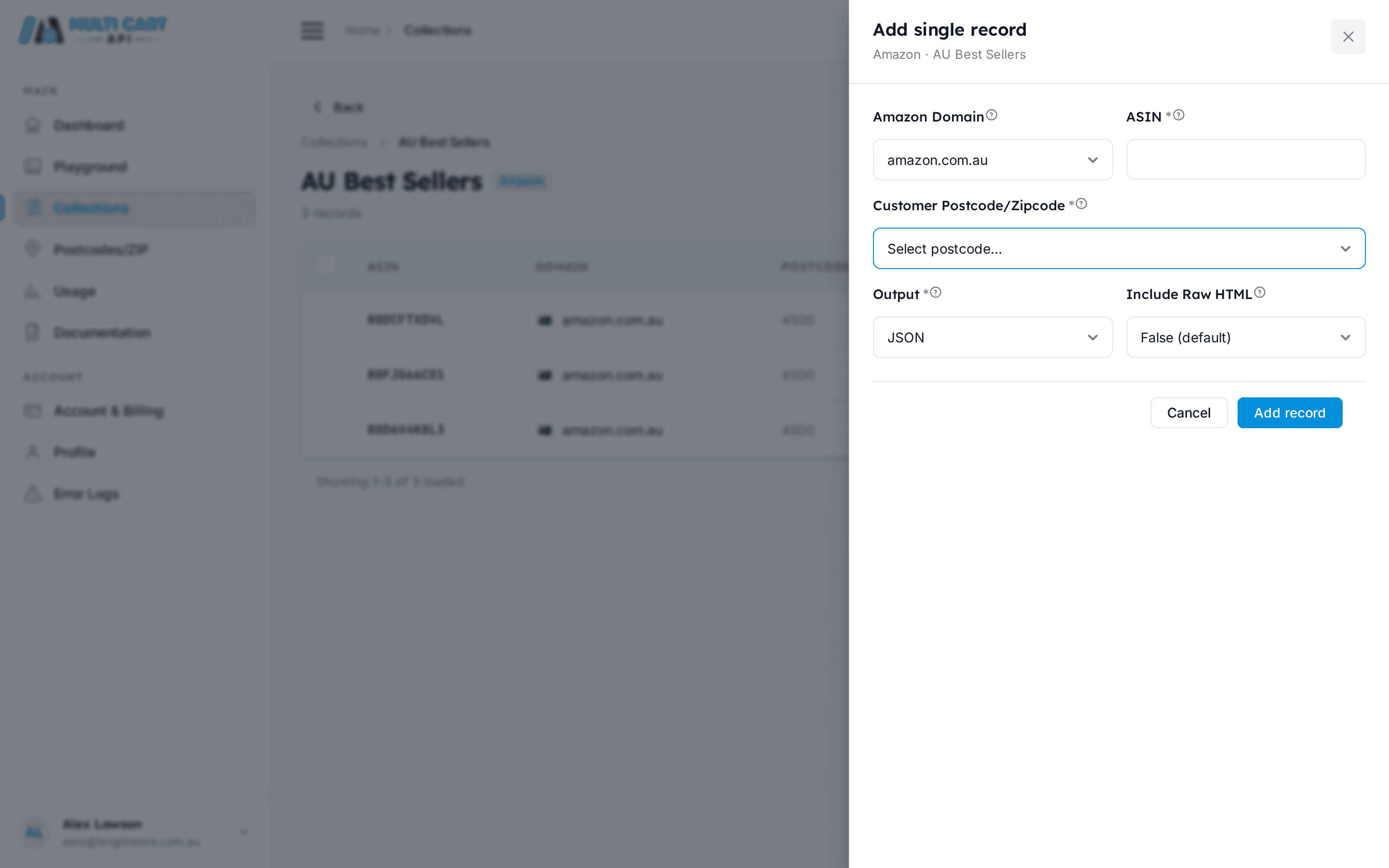

- Click Save. A toast confirms "Single ASIN added successfully" and the drawer closes. The new record appears in the table immediately.
Collection auto-enables on first ASIN
Adding the first ASIN to a collection that is still in draft status automatically promotes it to Enabled, so you do not need to manually flip the toggle.
No duplicate ASINs per domain and postcode
The same ASIN, domain, and postcode combination can only be added once per collection. Submitting a duplicate returns a validation error.
Via the API
Create ASIN
https://multicartapi.com/api/v1/schedules/amazon/asin/create/| Parameter | Type | Required | Description |
|---|---|---|---|
collection | integer | Required | ID of the collection to add this ASIN to. |
domain | integer | Required | Domain ID from POST /settings/domains/ (e.g. 1 for amazon.com.au). |
customer_postcode | integer | Required | Zipcode row ID from /zipcodes/get-zipcodes/. Must be an active postcode for the chosen domain. |
asin | string | Required | 10-character Amazon product identifier, e.g. B0DJQQ38TG. |
custom_id | string | Optional | Optional reference ID stored alongside the ASIN — useful for mapping results back to your own catalog. |
include_raw_html | boolean | Optional | Set to false to omit raw HTML from the scrape output and reduce response size. |
output | string | Optional | Output format: JSON or HTML. |
Pass IDs, not strings
domain and customer_postcode must be integer IDs, not domain name strings or postcode strings. Retrieve them from GET /settings/domains/ and GET /zipcodes/get-zipcodes/ respectively.
curl https://multicartapi.com/api/v1/schedules/amazon/asin/create/ \
  -X POST \
  -H "x-api-key: YOUR_API_KEY" \
  -H "Content-Type: application/json" \
  -d '{
    "collection": 101,
    "domain": 1,
    "customer_postcode": 15,
    "asin": "B0DJQQ38TG",
    "custom_id": "ref-001",
    "include_raw_html": false,
    "output": "JSON"
}'{
"code": 200,
"data": {
"id": 5,
"asin": "B0DJQQ38TG",
"collection": 101,
"domain": 1,
"customer_postcode": 15,
"custom_id": "ref-001",
"include_raw_html": false,
"output": "JSON",
"created_at": "2026-06-20T10:00:00Z"
},
"status": 1
}The id returned in data is the ASIN row ID — keep it if you need to update or delete this record later.