
Postcodes & Delivery Cookies
A postcode (or ZIP code) tells Amazon which delivery location to use when calculating prices, shipping options, and stock availability. MultiCartAPI stores one postcode per (domain, user) pair and backs it with a delivery cookie so every request in that marketplace reflects accurate local data.
Manage your Postcodes/ZIPWhy postcodes are scoped per domain
Amazon's pricing and availability are location-sensitive. A product priced one way for a Sydney postcode (2000) may show a different price, shipping cost, or stock status for a Melbourne postcode (3000). Because each Amazon marketplace operates independently, a postcode you add for amazon.com.au has no effect on amazon.com or any other domain — every marketplace needs its own delivery location.
Postcodes are also scoped per user account, so different accounts can target different delivery regions on the same marketplace without interfering with each other.
Adding a postcode
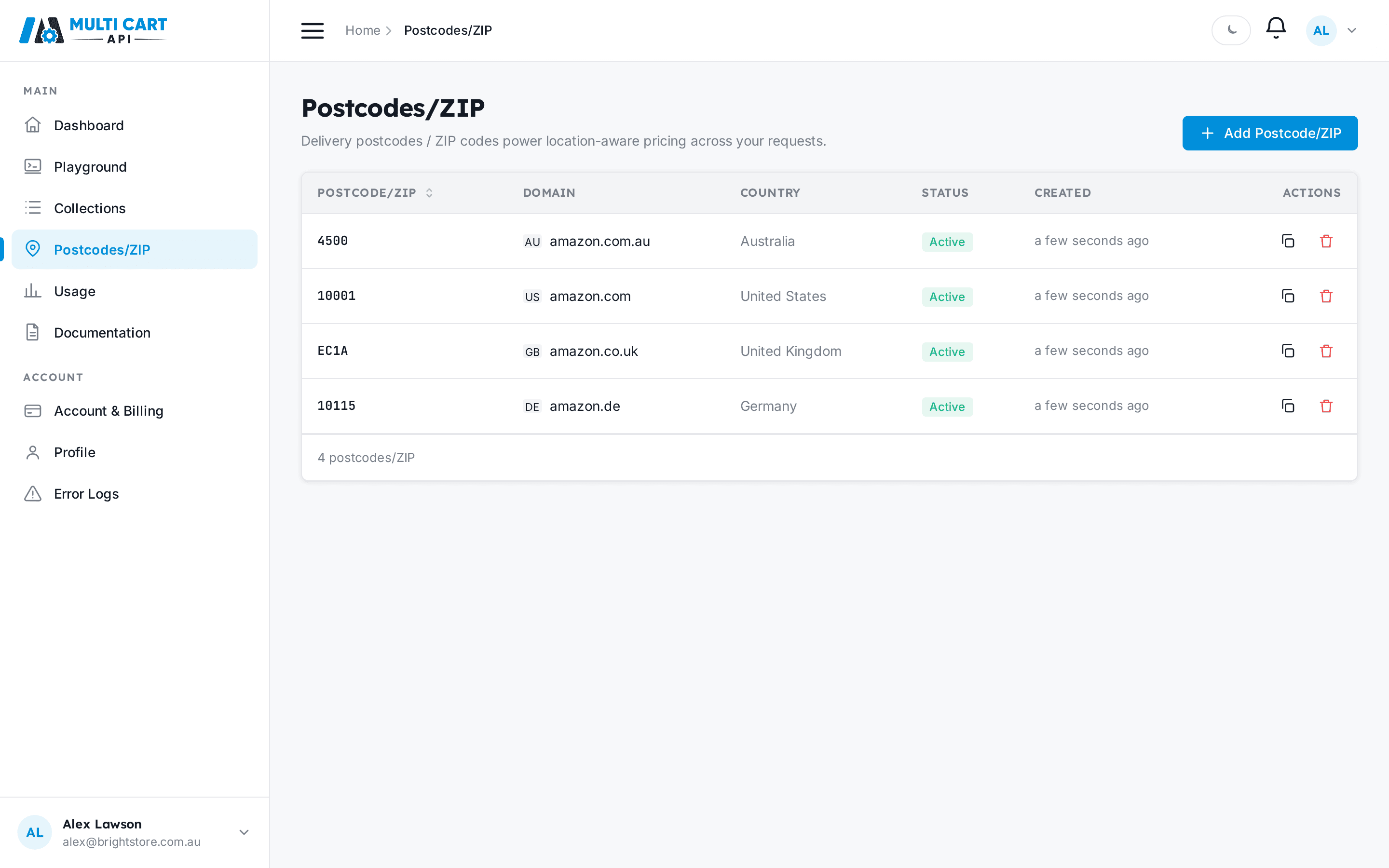
Open the Postcodes/ZIP page in the dashboard, click Add Postcode/ZIP, and fill in two fields:
- Domain — the Amazon marketplace you want to target (e.g.
amazon.com.au). - Postcode/ZIP — the delivery postcode for that country. The input placeholder updates to a real country-specific example once you select a domain, and accepts up to 12 characters.
Cookie generation can take up to a minute
After you submit, MultiCartAPI immediately fires a background job to generate the delivery cookie. The row will show Pending or In progress while it runs. You cannot use a postcode in a request until its status reaches Active.

Status lifecycle
Every postcode moves through the following states:
| UI badge | API status | Badge colour | Meaning |
|---|---|---|---|
| Pending | `pending` | Blue | The cookie-generation job has been queued but has not started yet. |
| In progress | `in-progress` | Blue | The background job is actively generating the delivery cookie. |
| Active | `active` | Green | Cookie generated successfully — the postcode is ready to use in requests. |
| Failed | `failed` | Red | Cookie generation failed. Delete the entry and re-add it to try again. |
| Inactive | `inactive` | Grey | The postcode has been disabled and is not available for new requests. |
The API status column shows the literal status string returned by POST /zipcodes/get-zipcodes/ — use it to map the UI badge to the wire value when polling.
Amazon vs. rest_api domains
For Amazon marketplaces, cookie generation is asynchronous — it runs as a background job and takes up to a minute. The status lifecycle above applies in full.
For rest_api domains (non-Amazon sources), the postcode is recorded immediately and the status jumps straight to Active with no background job required.
Cookie reuse
Once a postcode reaches Active, its delivery cookie is reused across all requests that reference that (domain, postcode) combination. You do not pay any extra cost per request for cookie use — the generation job runs once and the result is cached. If a cookie ever expires or becomes stale, MultiCartAPI regenerates it automatically.
One active postcode per region is usually enough
You only need multiple postcodes for the same domain if you genuinely need pricing data from different delivery regions (e.g. both metro and regional Australia). For most use cases, one active postcode per marketplace is sufficient.
Postcode formats by country
Each Amazon marketplace expects its own postcode format. The table below lists all supported domains with a real example for each country — the same examples shown in the dashboard placeholder text.
| Country | Country code | Amazon domain | Format | Example |
|---|---|---|---|---|
| Australia | AU | amazon.com.au | 4-digit numeric | 2000 |
| United States | US | amazon.com | 5-digit numeric | 10001 |
| Canada | CA | amazon.ca | Alphanumeric with space (A1A 1A1) | M5V 3L9 |
| Mexico | MX | amazon.com.mx | 5-digit numeric | 06000 |
| Brazil | BR | amazon.com.br | 8-digit with hyphen (NNNNN-NNN) | 01310-100 |
| United Kingdom | GB | amazon.co.uk | Alphanumeric with space | SW1A 1AA |
| Germany | DE | amazon.de | 5-digit numeric | 10115 |
| France | FR | amazon.fr | 5-digit numeric | 75001 |
| Italy | IT | amazon.it | 5-digit numeric | 00184 |
| Spain | ES | amazon.es | 5-digit numeric | 28013 |
| Poland | PL | amazon.pl | 5-digit with hyphen (NN-NNN) | 00-001 |
| Ireland | IE | amazon.ie | Eircode — alphanumeric with space | D02 AF30 |
| Turkey | TR | amazon.com.tr | 5-digit numeric | 34122 |
| India | IN | amazon.in | 6-digit numeric | 110001 |
| Japan | JP | amazon.co.jp | 7-digit with hyphen (NNN-NNNN) | 100-0001 |
| Singapore | SG | amazon.sg | 6-digit numeric | 018956 |
| UAE | AE | amazon.ae | Emirate name (no postal codes) | Dubai |
| Saudi Arabia | SA | amazon.sa | 5-digit numeric | 11564 |
| Egypt | EG | amazon.eg | 5-digit numeric | 11511 |
| Netherlands | NL | amazon.nl | 4-digit + 2 letters with space | 1012 JS |
| Sweden | SE | amazon.se | 5-digit with space (NNN NN) | 111 29 |
| South Africa | ZA | amazon.co.za | 4-digit numeric | 0001 |
UAE has no postal codes
The UAE does not use postal codes. Enter the emirate name (e.g. Dubai, Abu Dhabi) in the Postcode/ZIP field instead. Amazon UAE uses the emirate to determine delivery location.
Using postcodes in requests
When you add an item to a Collection or make a Playground request, the Customer Postcode/ZIP selector shows only postcodes that are Active and scoped to the selected domain. If no postcodes appear for a domain, add one here first and wait for it to reach Active status.