
Authentication & API Keys
Getting StartedUpdated 2026-06-20
Every authenticated MultiCartAPI endpoint accepts two interchangeable credentials. Use whichever fits your context — they grant identical access.
| Scheme | Header | Use case |
|---|---|---|
| API Key | x-api-key: YOUR_KEY | Programmatic / server-to-server integrations |
| Session Token | Authorization: Token YOUR_TOKEN | Dashboard-issued session calls |
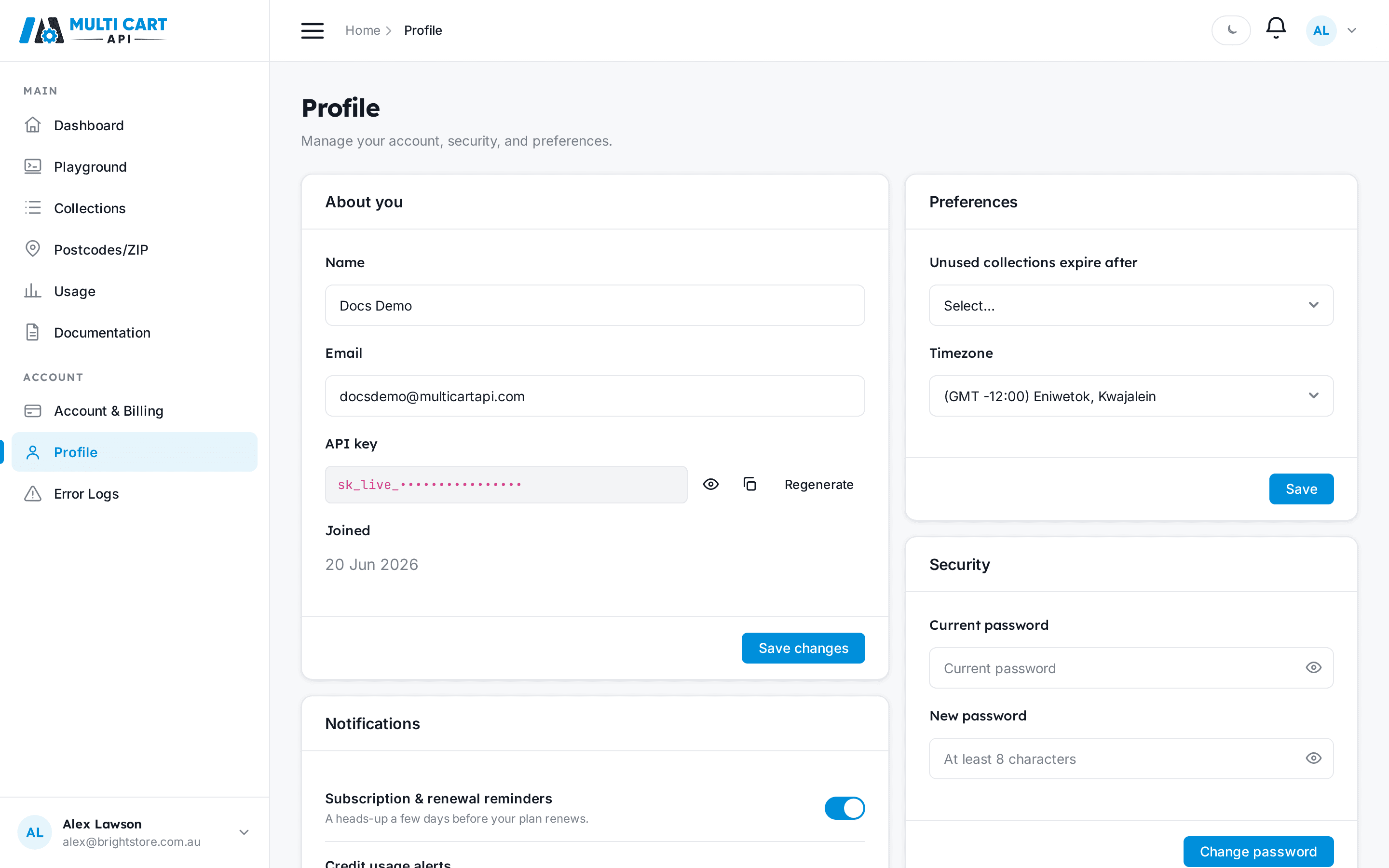
Where to find your API key
Your key lives on the Profile page of the dashboard, under About you. Reveal it with the eye icon, copy it, or rotate it with Regenerate.
Authenticating a request
Send your key in the x-api-key header on any request to the base URL
https://multicartapi.com/api/v1.
curl https://multicartapi.com/api/v1/settings/domains/ \
  -X POST \
  -H "x-api-key: YOUR_API_KEY"
Rotating invalidates the old key immediately
When you regenerate your key, the previous one stops working right away. Update any live integrations before rotating. See Get or Regenerate Your API Key.
Endpoints that need no auth
A few read-only endpoints are public and require no credentials:
POST /settings/domains/— list available marketplacesPOST /settings/officeworks/stores/— list Officeworks storesGET /plans/public/— the public plan catalogue